Put your trust score on your site
Paste one of these where your buyers look. Each badge shows BloxCart's score as it is tonight and links to this profile, so it stays right when the score moves.
Your site is
Trust score
The main badge, for a product page, the checkout or your About page.
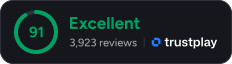
<a href="https://trustplay.gg/reviews/bloxcart.com">
  <img src="https://trustplay.gg/badge/bloxcart.com.svg?theme=dark" alt="BloxCart trust score on TrustPlay">
</a>
Compact
One line, the height of the payment logos in a footer.

<a href="https://trustplay.gg/reviews/bloxcart.com">
  <img src="https://trustplay.gg/badge/bloxcart.com.svg?style=compact&theme=dark" alt="BloxCart trust score on TrustPlay">
</a>
Ask for a review
Asks your customers to review you, without showing the score.

<a href="https://trustplay.gg/reviews/bloxcart.com#reviews">
  <img src="https://trustplay.gg/badge/bloxcart.com.svg?style=review&theme=dark" alt="Review BloxCart on TrustPlay">
</a>
Score and a review request
Shows the score as the reason to add a review.
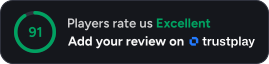
<a href="https://trustplay.gg/reviews/bloxcart.com#reviews">
  <img src="https://trustplay.gg/badge/bloxcart.com.svg?style=pitch&theme=dark" alt="BloxCart trust score on TrustPlay">
</a>